

Printing your own T-shirts at home — or turning that skill into a small printing business — has never been more accessible. Modern methods like DTF (Direct to Film) let a beginner produce full-color designs on almost any fabric without a six-figure factory. But the method you choose, the equipment you buy, and the habits you build will decide whether your first shirts look professional or end up as expensive practice rags.
This guide shows you how to print t-shirts at home, and how to grow that into a small printing business, walking through the four main printing methods — DTF, HTV, sublimation, and DTG — the equipment each one needs, how to prepare artwork correctly, a practical DTF workflow you can follow order by order, the mistakes that ruin most beginner prints, and how to care for printed garments so they last. Settings given here are typical starting ranges only: always follow the instructions supplied with your specific film, vinyl, ink, or transfer, because correct settings are manufacturer-dependent.
The Four Main T-Shirt Printing Methods, Compared
DTF (Direct to Film)
A design is printed onto a special film (by a DTF printer, or bought as ready-made transfers), coated with adhesive powder, cured, and then applied to the garment with a heat press. DTF works on cotton, polyester, blends, denim, and more, in any color — including dark garments — with no weeding required. For beginners who want one method that handles almost any order, DTF is currently the most flexible option, and you can start without owning a printer at all by ordering ready-to-press transfers.
HTV (Heat Transfer Vinyl)
Designs are cut from colored vinyl sheets with a cutting machine, weeded by hand, and pressed onto the garment. HTV is excellent for simple text, numbers, names, and one- or two-color graphics — think team jerseys and personalized shirts. It struggles with photographs and detailed full-color artwork, and multi-color designs mean layering several vinyl cuts.
Sublimation
A design is printed with sublimation ink onto transfer paper, then heat turns the ink into gas that bonds permanently into the fabric. The result has zero feel on the garment and outstanding durability — but it only works on polyester (or high-poly blends) and light-colored garments. Sublimation cannot print white, and it will not bond to cotton.
DTG (Direct to Garment)
A DTG printer works like an inkjet printer for shirts, printing water-based ink directly onto the garment. It produces soft, detailed, full-color prints and is ideal for one-off custom orders and print-on-demand. The trade-offs: the printers cost significantly more, dark garments require a pretreatment step, and prints need a controlled curing step to be wash-durable.
Side-by-Side Comparison
| Method | Best for | Fabric limits | Startup cost | Main drawback |
|---|---|---|---|---|
| DTF | Full-color designs on almost any garment | Works on cotton, poly, blends, dark and light | Low if you buy transfers; medium with a printer | Needs correct press settings per film |
| HTV | Names, numbers, simple logos | Most fabrics | Low | Weeding time; poor for photos/detail |
| Sublimation | All-over prints, sportswear, mugs | Polyester only, light colors only | Low–medium | No cotton, no dark garments, no white ink |
| DTG | Detailed one-off custom prints | Best on cotton; pretreat for darks | High | Equipment cost and maintenance |
Equipment You Actually Need
Whatever method you choose, a few items are universal:
- A heat press. A clamshell or swing-away press with accurate temperature and even pressure is the heart of DTF, HTV, and sublimation work. A household iron cannot deliver consistent temperature, pressure, or coverage across a full design — it is the most common false economy in beginner setups.
- A design computer and software. Any modern laptop with graphics software (paid tools like Adobe Illustrator or free ones like Inkscape) for preparing and sizing artwork.
- Blanks. Quality blank garments in the sizes and colors your customers actually ask for.
- Basics: heat-resistant tape, Teflon or parchment sheets, a weeding tool (for HTV), lint roller, and a ruler or measuring tape for placement.
Then, per method: DTF needs a DTF printer or purchased transfers, plus film and powder if you print your own; HTV needs a cutter and vinyl; sublimation needs a sublimation printer, inks, and paper; DTG needs the printer, inks, and pretreatment for dark garments.
Starting tip: many small shops begin with a heat press and purchased DTF transfers. It removes the printer investment and maintenance from your first months and lets you learn pressing, placement, and order handling first. You can see the kind of work a small shop produces in our shop and read more about our printing services.
Preparing Artwork: Where Most Prints Are Won or Lost
A heat press can only apply the file you give it. Before any design reaches a garment, check these points:
- Size the design at its final print dimensions. A design that looks fine on screen at 4 inches will not magically stay sharp stretched to 11 inches. Decide the real print size first, then prepare the file for exactly that size.
- Resolution is about the final size. A “300 DPI” label alone proves nothing — what matters is the effective resolution at the size you will print. A small, low-pixel image enlarged to full-front size will print soft or pixelated no matter what its file metadata says.
- Use a true transparent background for DTF and DTG designs (usually a PNG with a real alpha channel). A white box around your design will print as a white box. Check transparency against both a dark and a light background before printing.
- Check edges and fine detail. Hair-thin lines, tiny text, and dusty semi-transparent edges are where transfers fail first. Zoom in to 100% and clean up stray pixels.
- Proofread character by character. Names, dates, and especially phone numbers on crew and business shirts — read them digit by digit, then have the customer approve the exact text in writing before you print. A misspelled name costs you a garment; an approved proof costs you nothing.
- Expect color shift. Screen colors (RGB) are brighter than printed output. Deep blues, bright greens, and neon tones will print duller than they look on a monitor. Test prints on scrap garments are how professionals calibrate expectations.
A Practical DTF Workflow, Step by Step
This is the workflow a small shop follows for a typical DTF order — for example, a dozen crew shirts with a left-chest logo and a large back design:
- Take the order properly. Record garment style and color, quantities by size, print locations, design size for each location, and the exact text. Get the customer’s written approval of the artwork and text before printing anything.
- Prepare and check the artwork using the checks above: final-size dimensions, effective resolution, true transparency, clean edges, correct spelling.
- Print or obtain the transfers. If you print in-house: print to film, apply adhesive powder evenly, shake off the excess, and cure the powder according to your film and powder manufacturer’s instructions. If you buy transfers, inspect each one on arrival.
- Prepare the garment. Lint-roll it, then pre-press for a few seconds to remove moisture and wrinkles and give yourself a flat, warm surface.
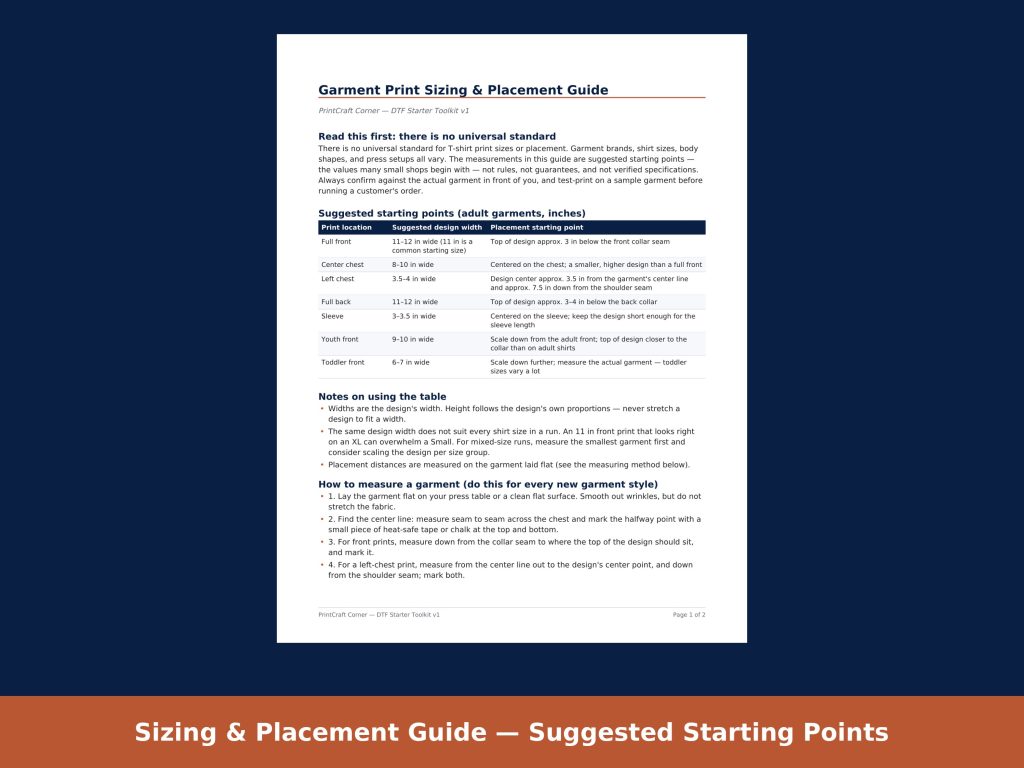
- Position the design. Measure — do not eyeball. As suggested starting points (there is no universal standard; garment and customer preference vary): a full-front design is commonly 11–12 inches wide with its top edge roughly 3 inches below the collar; a left-chest design is commonly 3.5–4 inches wide, centered about 3.5 inches from the garment’s center line and about 7.5 inches down from the shoulder seam; a full-back design is commonly 11–12 inches wide, starting 3–4 inches below the back collar.
- Press. Use your film manufacturer’s temperature, time, and pressure. A typical published starting range for DTF transfers is around 300–325°F (150–163°C) for 10–15 seconds at medium pressure — but films differ, and the manufacturer’s sheet always wins over any general guide, including this one.
- Peel as instructed. Some films are hot-peel, others warm- or cold-peel. Peeling at the wrong temperature is a classic cause of lifted edges, so check your film type before the first press, not after.
- Post-press. Cover with a Teflon or parchment sheet and press again briefly (often around 5 seconds) to set the finish and texture, if your film’s instructions call for it.
- Inspect before it leaves. Check edges, adhesion, placement, and spelling one last time against the approved order — while a mistake is still fixable.
Heat-Press Settings: Why “Manufacturer-Dependent” Matters
Beginners love universal setting charts; experienced printers know there aren’t any. Film chemistry, vinyl type, ink system, fabric, and even your press’s calibration all change the right answer. Use these commonly published starting ranges only as a place to begin testing, and always defer to your material supplier’s instructions:
- DTF transfers: roughly 300–325°F (150–163°C), 10–15 seconds, medium pressure; peel type (hot/warm/cold) varies by film.
- HTV: roughly 305–320°F (152–160°C), 10–15 seconds; specialty vinyls (glitter, flock, stretch) differ.
- Sublimation: roughly 385–400°F (196–204°C), 45–60 seconds, on polyester.
- DTG curing: often around 340–356°F (171–180°C) for 30–90 seconds depending on the ink manufacturer, or per the printer maker’s conveyor/heat-press guidance.
Whatever you print, run your first piece on a scrap garment or a test blank, wash-test it, and only then commit to the full order.
Common Beginner Mistakes (and How to Avoid Them)
- Printing before approval. No written customer approval of the final artwork and text means every misunderstanding becomes your cost.
- Trusting a DPI number. Check effective resolution at the actual print size, every time.
- Eyeballing placement. A design 1 inch off-center is invisible on the press table and obvious on a person. Measure both sides.
- Wrong peel timing. Hot-peel film peeled cold (or the reverse) lifts, cracks, or leaves residue.
- Skipping the pre-press. Moisture in the garment turns to steam and weakens adhesion.
- Accepting every file as “print-ready.” Screenshots, social-media downloads, and tiny logos are not print files. Check them, and tell the customer early if a file will not print well.
- Guessing on care instructions. If you don’t tell customers how to wash the garment, they will hot-wash and tumble-dry your work — and blame the print.
Garment Care: Helping Prints Last
Care guidance differs by method and ink/film manufacturer, so follow your supplier’s instructions first. These general habits are widely recommended for printed garments:
- Wash inside out, in cold water, on a gentle cycle, with similar colors.
- Avoid bleach and harsh detergents on the printed area.
- Tumble dry low or hang dry; high heat is the enemy of most print types.
- Do not iron directly on the print; if ironing is needed, iron inside out or use a protective sheet.
- For freshly pressed DTF garments, waiting a day before the first wash is a commonly recommended precaution.
Printing these care instructions on a small card in every order takes a minute and prevents most “your print cracked” conversations.
Frequently Asked Questions
What is the cheapest way to start printing T-shirts?
For most beginners, a heat press plus purchased DTF transfers or HTV and a cutter is the lowest-cost entry. You avoid printer maintenance while you learn pressing, placement, and order handling — the skills every method depends on.
Can I use a household iron instead of a heat press?
For a one-off experiment, some HTV products list iron settings. For consistent, sellable results — especially DTF — an iron cannot hold even temperature and pressure across a full design, and adhesion failures are common. A heat press is the first real investment to plan for.
Which method is best for a small business?
It depends on your orders. DTF covers the widest range of garments and designs per dollar for most small shops; HTV wins for names and numbers; sublimation wins for polyester sportswear and all-over prints; DTG wins for detailed one-offs if you can justify the printer. Many shops run two methods side by side.
Why did my print peel or crack after washing?
The usual causes are incorrect temperature, time, or pressure for that material, peeling at the wrong temperature, moisture in the garment during pressing, or washing too soon or too hot. Re-check your film or ink manufacturer’s instructions and test on a scrap garment before reprinting the order.
Tools That Make the Paperwork Easier
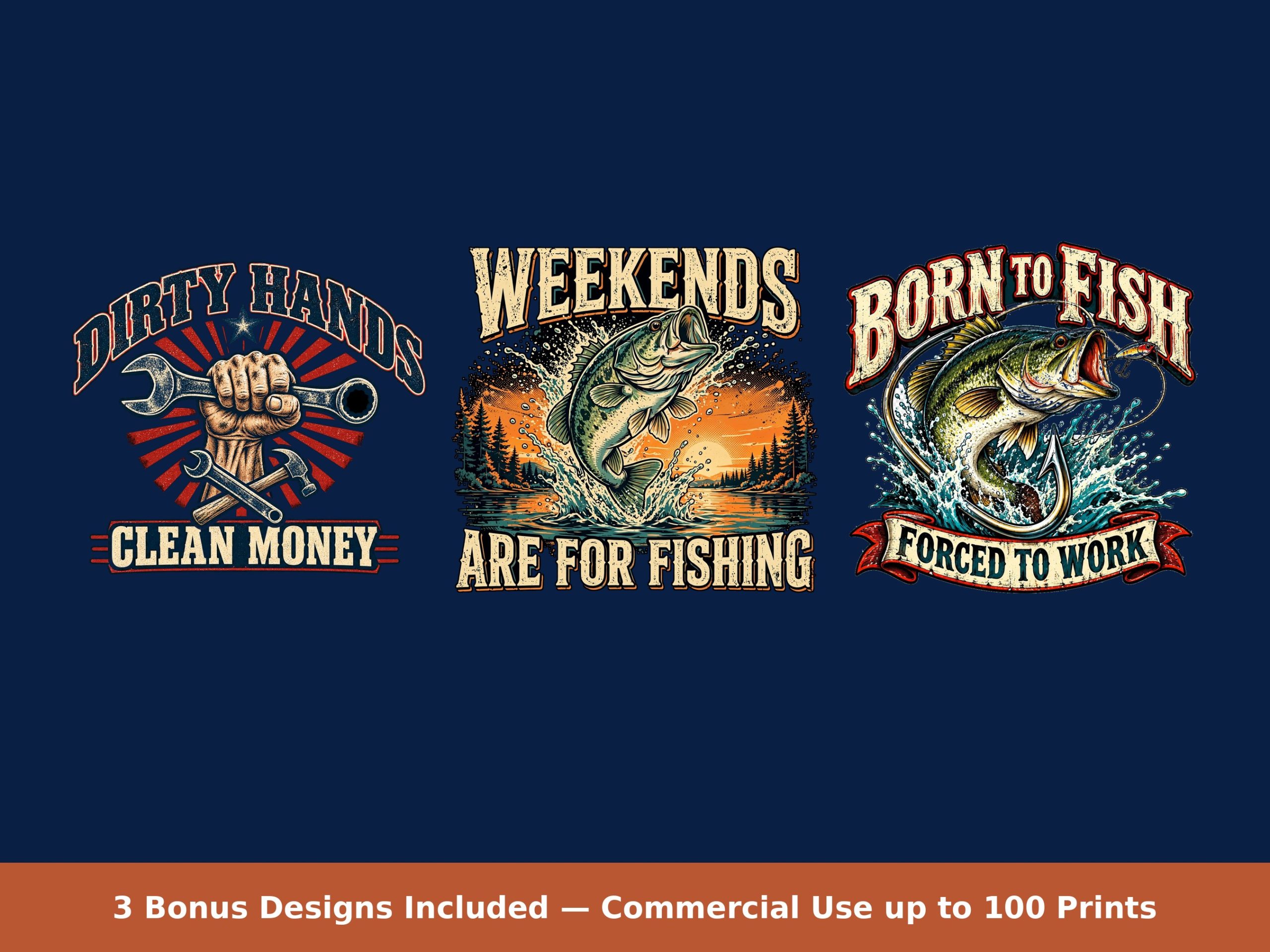
The printing itself is only half the job. The shops that survive their first year are the ones whose orders stop going wrong: correct sizes, approved artwork, verified files. That is exactly why we built our DTF Starter Toolkit — the sizing and placement guide, fillable customer order and artwork approval form, and 26-point pre-press QC checklist we wished we had on day one, plus three print-ready bonus designs for practice prints. The sizing values in it are the same kind of clearly-labeled starting points used in this guide, and the checklist walks every file through the checks described above.
Get the DTF Starter Toolkit on Etsy ($29) — instant download, and if you would rather have shirts printed for you, contact our San Antonio studio for a custom order.